Image Swapper
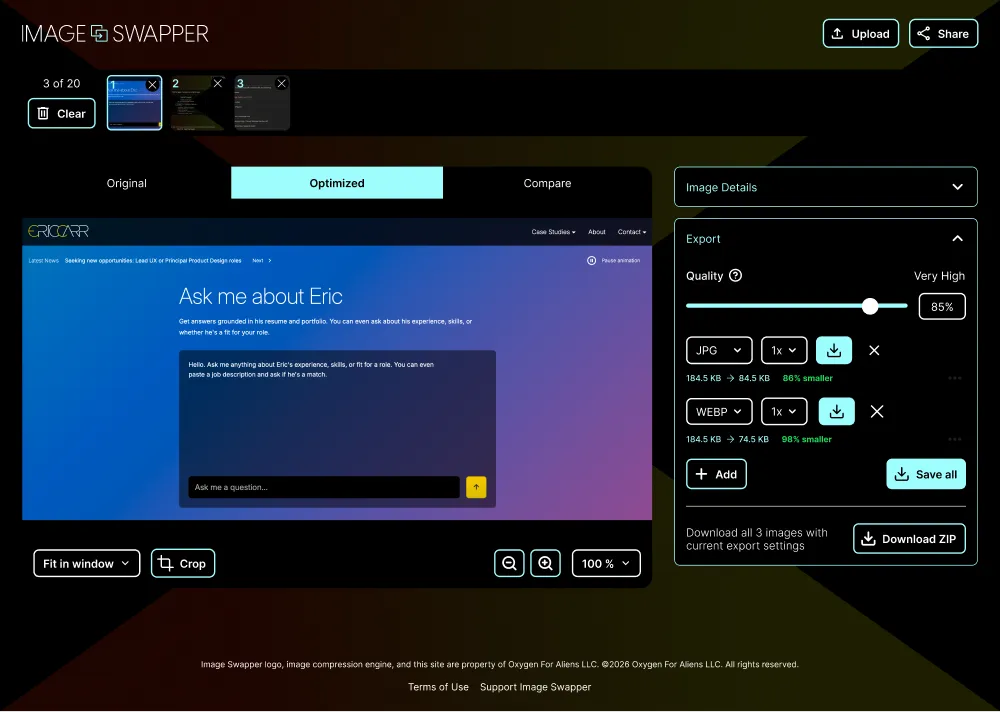
A privacy‑first batch image converter that runs entirely in the browser.
My Role
End‑to‑end: product design, UI, front‑end implementation, accessibility, QA
Traction
~1,900 visits from 20+ countries in its first six weeks, with zero images ever uploaded to a server
Stack
Vanilla HTML/CSS/JS · Canvas API · JSZip (CDN) · jSquash WebP encoder (libwebp WASM, CDN) · No backend
Privacy and accessibility as architecture decisions, not features added later.
Ownership
I owned product design, UI, front‑end implementation, accessibility, and QA. It runs entirely in the browser and has no back end at all.
Judgment calls
- Subtraction Privacy by architecture. I removed the server entirely. Every conversion runs in the browser, so images never touch a server. There’s no privacy policy to trust because there’s nothing to upload, and no back end to maintain or secure.
- Two ways to crop, each tuned separately. Drag for speed or type exact pixels for precision, each with its own sensible minimum instead of one compromise value.
- Simplicity Built for batches. Bulk import, multiple export sizes per image, and one ZIP download cover a full asset export pass. A WASM WebP encoder, canvas processing, and multi‑size export all collapse into dropping in images and getting one ZIP back.
Quality bar
- Every custom control, including crop handles and collapsible panels, is keyboard‑operable with correct ARIA and verified to WCAG 2.1 AA from day one.
- Bugs were traced to their real cause, like a z‑index stacking issue that looked like a color bug, instead of being patched over.
Why it matters for a team
This is the standard I hold a team’s work to: accessibility in the definition of done, and root causes over workarounds.